#17 Finalizing the 3D modelling of the robot

Updated: May 16, 2022
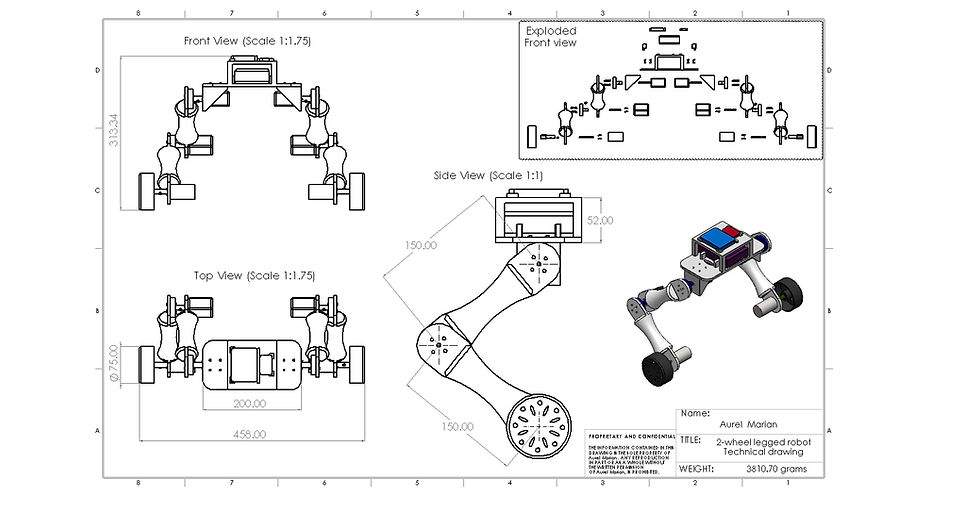
In this post I finalized the build of the entire robot to have a main blueprint of each individual part for when I will want to buy the components in the future I would only need to adjust some values of the dimensions. So at the end there is also a technical drawing of it.
Before starting to model, I was thinking of various ways I could later implement the model into simscape, whether to have 6 motors (making the system difficult to manage and adding to complexity) or try to design a rather simpler model which has a naturally helping mechanism that could cut at least 2 motors, reducing it to 4 that would still perform the same but that could give a mechanical advantage instead of having extra motors to control and current to "waste", so for my visual inspection and relatively quick decision to take, I have made a sketch of 2 potential final robots.

Left, implies to have 3 motors each side (a total of 6), difficult to manage but for which I am more prepared to attempt in Simscape.
Right, implies 2 motors each side (a total of 4) which would drag naturally the bottom side of the leg up as the top motor operates, performing the same action, but using less energy, however it would need a more mechanically advanced design to make sure that the bottom part of the leg, comes up in the correct way when crossing an obstacle, and not at an angle.
Seeing the timeline and circumstances I will go for the one with 3 motors/side (with a total of 6).
I have sketched how the robot is supposed to look like on a visually realistic scale (essentially indicating where each component should be):

While designing the robot I have made another quick sketch of the actual "head" where the controller IC, IMU and battery are going to be:
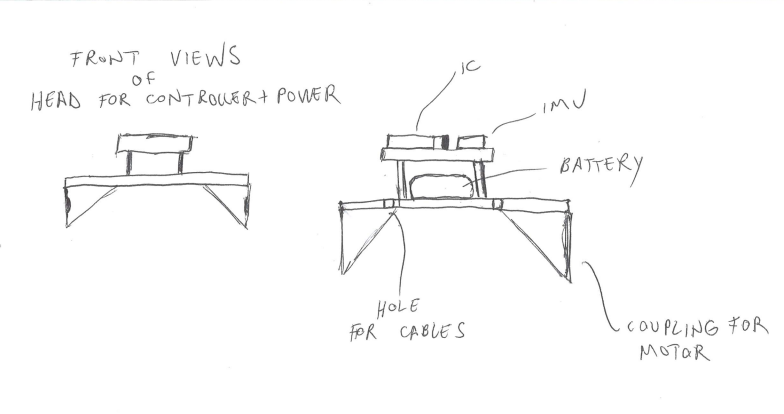
The process of making the entire assembly of the robot by making each individual part is seen in the following video with a 8x Speed up until the moment of starting to render the robot:
<8xSpeed_video_modellingProcess.mp4> - coming soon
The following are some renders of the Robot from different perspectives and in different environments:


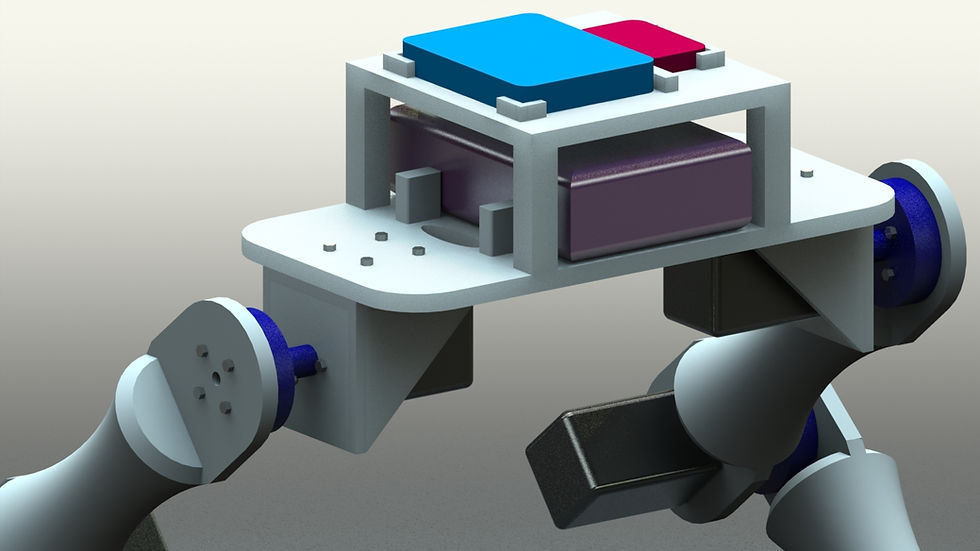
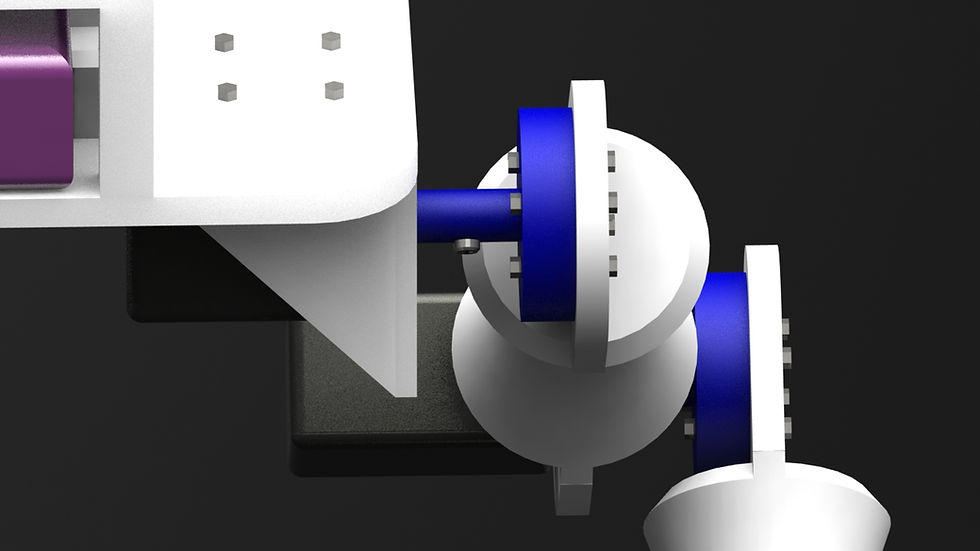

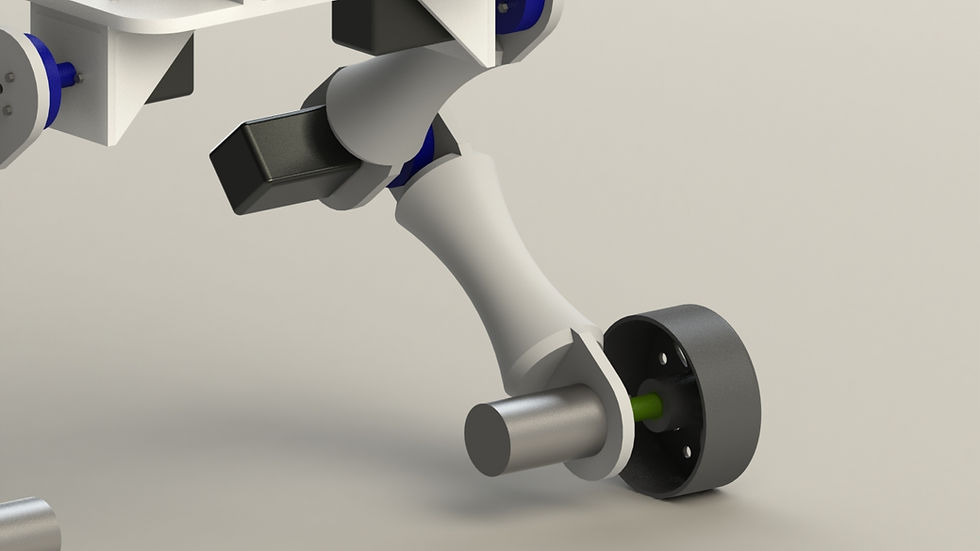

For my next progression, I need to bring this model into the Simscape software, apply all current knowledge, and try to make at least 1 wheel moving UP-Down individually to cross an obstacle while maintaining balance.
The technical drawing:


Comments